
App Lock - Applock Fingerprint
Trusted ToolsProductivity
4.74.41K Reviews
- Version
- 1.7.3
- Installs
- 100.00M
- Age Rating
- Everyone
Screenshots

Our Review of App Lock - Applock Fingerprint
 Analysis by Appyee
Let's dive into the world of App Lock - Applock Fingerprint, a handy app designed to give you peace of mind by safeguarding your mobile's sensitive data. We've all been there—handing over our phone to show a picture or let a friend make a call, only to feel a twinge of anxiety about the personal stuff stored on our device. This app promises to be the guardian of your privacy, so I gave it a whirl to see if it lives up to the hype.
I see this kind of app-by-app privacy layer as a practical tool for specific situations, not a replacement for the phone’s own screen lock. Its appeal is simple: you can decide which apps deserve an extra checkpoint instead of making every use of your phone slower. That distinction matters when your concern is a borrowed phone or a shared moment, rather than someone who already knows your device passcode.
Trusted Tools makes this free productivity app, and its broad adoption suggests many people want this kind of selective control. It has a 4.7 average from around 654,000 ratings, with over 100 million installs. Those figures are useful context, but they are not a guarantee that every feature will suit every phone or that an extra lock solves every privacy risk. I would treat it as one layer in a sensible routine.
Why You Might Need It
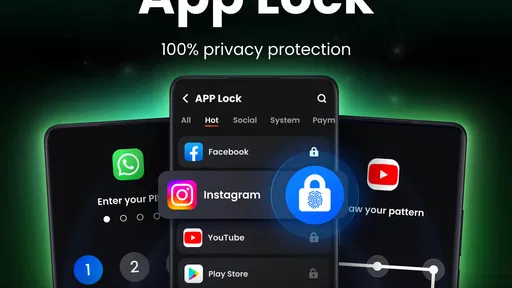
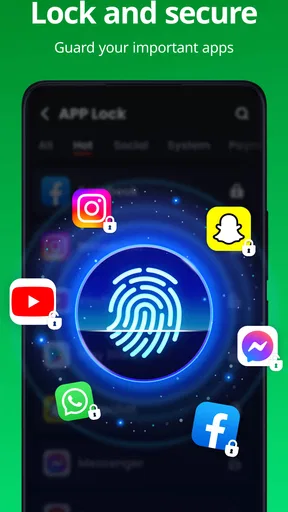
First off, the app’s main claim to fame is its ability to lock apps using your fingerprint. If you're like me, you probably have a slew of apps that contain personal information—think banking apps, email, or even private photos. App Lock - Applock Fingerprint allows you to protect these apps with an added layer of security.
Now, I know what you're thinking—"My phone already has a lock!" True, but this app takes it a step further by letting you selectively lock individual apps. This feature is super handy if you want to lend your phone to someone without giving them full access to everything on it.
A realistic example is handing a friend your unlocked phone to choose a playlist or look at a photo. If you have already protected sensitive apps, you can avoid hovering over their shoulder or rushing to take the device back. I would still open the intended content myself and keep the phone in view: an app lock is most useful for limiting casual access, not for handing over control indefinitely.
Getting Started
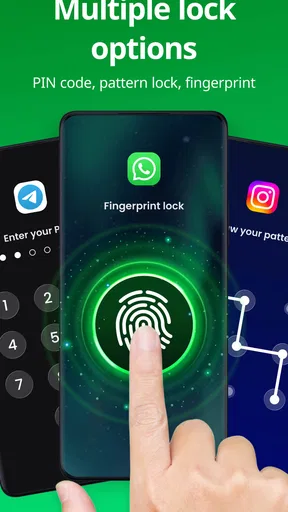
Setting up App Lock - Applock Fingerprint is a breeze. After downloading it from the app store, you’ll be prompted to set up your fingerprint. If your device doesn't support fingerprint scanning, don't worry! You can still use a PIN or pattern lock. The app guides you through a straightforward, step-by-step process, making it simple even for tech novices.
Once you're in, you’ll see a list of all your installed apps, and you can pick and choose which ones to lock. I loved the flexibility; it felt like building a custom fortress for my phone, and who doesn’t want to be the ruler of their own digital kingdom?
My practical tip is to start with a short list rather than locking everything. Choose apps where opening them could expose private conversations, account details, or personal files, then use the phone normally for a day. This makes it easier to notice whether the extra prompt is helping or simply interrupting routine tasks. If you protect an app you open dozens of times, the small pause can become more irritating than reassuring.
The choice between fingerprint, PIN, and pattern is also a usability decision. Fingerprint access can feel quick when your hands and sensor cooperate; a PIN or pattern gives you another way to unlock when they do not. I would choose a backup method I can enter reliably without making it obvious to someone nearby. Convenience is part of security: a lock that constantly frustrates you can tempt you to remove protection altogether.
Features That Stand Out
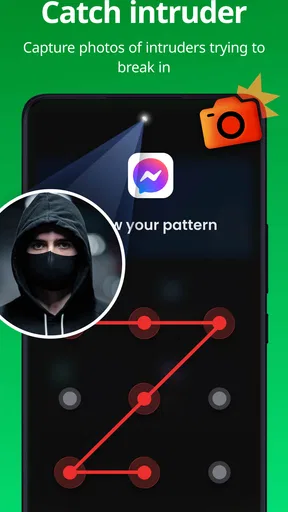
One of the cool features is the "intruder selfie," which snaps a picture of anyone who unsuccessfully tries to unlock your apps. Imagine catching your nosy roommate red-handed! It's not just a deterrent; it's a way to subtly say, "I see you!"
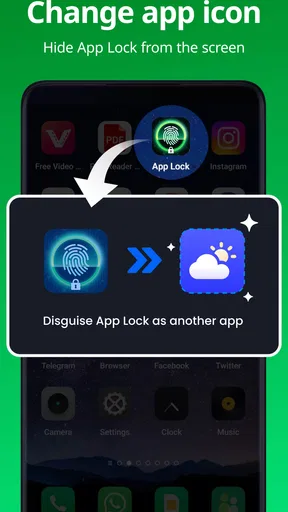
The app also offers a "Fake Cover" feature, which tricks anyone trying to open a locked app into thinking it has crashed. It's a clever way to throw off snoopers, giving you extra time to intervene.
For those who love customization, the app doesn’t disappoint. You can change the theme and lock screen background, making the security experience a bit more personal. After all, who says safety can’t be stylish?
These options call for a little judgement. An intruder selfie may be useful if someone repeatedly tries to get into a protected app, but it can also create awkwardness if a family member taps the wrong thing. A fake crash can discourage casual snooping, yet it does not make the underlying information disappear or stop someone from using the phone in other ways. I would see both as deterrents, not as evidence that an attempted access is fully handled.
For private messages or account apps, the important question is not only whether an extra lock appears, but what someone can still learn from the screen before they reach the app. The existing notification-hiding option can help reduce that exposure. I’d review the notification previews on the phone itself as well, since privacy often depends on what appears outside the app, not just what happens after tapping its icon.
Day-to-Day Use
Using the app daily feels seamless. It doesn't hog system resources, so your phone's performance remains zippy. I did notice that it might take a split-second longer to open a locked app, but that’s a small price to pay for the added security.
Notifications are another area where the app shines. You can hide notifications from locked apps, so prying eyes won't even see what you're up to. It's these little touches that make the app feel like it was made with real-world use in mind.
The main trade-off is repeated access. A workday that involves frequent email checks, or a day of switching between a password manager and other apps, may make an additional unlock prompt feel like friction rather than protection. I’d reserve the lock for apps I would genuinely worry about someone opening, and leave low-sensitivity tools alone. That selective setup makes more sense than turning the whole phone into a chain of interruptions.
There is also a difference between privacy from a curious person holding your already-unlocked phone and protection against a determined person with access to the device. I would not use an app-level lock as my only defence for financial accounts, nor assume it replaces strong device security or the account’s own safeguards. For high-stakes actions, the app’s own sign-in and verification controls still matter.
Who Will Get the Most From It
I think this app makes the most sense for people who occasionally lend their phone, live or work around others, or want a quick extra barrier around a few personal apps. It can also suit someone who shares a device for simple tasks but wants to keep messages or photos separate from that casual use. The ability to choose individual apps is the key benefit; it lets you tailor the interruption to your actual concerns.
On the other hand, I would skip it if you rarely hand over your phone, already find device security prompts annoying, or expect an app locker to conceal all traces of private activity. Someone who needs stronger account-level protection should prioritize the security options built into each service. And if your main concern is a child using the phone, supervised profiles or device-level parental controls are generally a more appropriate starting point than relying only on app-by-app locks.
Compared with simply using the phone’s screen lock, this gives more control over what remains accessible after the device is unlocked, but it adds another step and another app to manage. Compared with relying only on each app’s own lock, it offers a more centralized way to select protected apps, while built-in controls may be a better fit when you need security tied directly to a particular account. The right choice depends on whether your concern is casual access to the phone or protection of the account itself.
Trust and Everyday Choices
For me, trust comes down to using only the controls I understand and checking the choices the app presents during setup. I would pay attention to any permission request and ask whether it makes sense for the feature I am trying to use before approving it. I would also review the phone’s permission settings later if my needs change. That is a sensible habit with any utility that sits between you and other apps.
The app is free to download and is rated for Everyone. It runs on Android 6.0 or later, and version 1.6.5 is the current version. Optional in-app purchases range from $3.99 to $30.99 per item, so I would look carefully at the purchase screen and make sure I understand what I am choosing before confirming anything. The core decision to try it does not require treating every optional purchase as necessary.
One question worth settling before relying on it is what happens when you change your unlock method or stop using the app. I would test the chosen backup method while setting up, rather than waiting until a fingerprint fails at an inconvenient moment. I would also check that the phone’s normal lock and account recovery options remain familiar to me. A small setup check can prevent a privacy tool from becoming a reason I cannot get to my own apps.
Another useful habit is to revisit the protected-app list after installing new apps or changing how you use the phone. The apps that matter can shift: a travel booking app may contain personal details before a trip, while a messaging app may become more sensitive when used for work. A quick review keeps the selection intentional and avoids the false comfort of assuming every important app was automatically covered.
Final Thoughts
All in all, App Lock - Applock Fingerprint does an excellent job of providing peace of mind without complicating your life. It's intuitive, effective, and offers just the right amount of customization to make it personal. If you’re someone who values privacy and wants to keep certain aspects of your phone usage under wraps, this app is definitely worth a try.
So, whether you’re guarding your secrets from snoopers or just want to keep your apps secure, App Lock - Applock Fingerprint has got your back. It's like having a digital bodyguard in your pocket—only without the awkward small talk!
My cautious verdict is that this is a useful convenience layer when the problem is a curious glance or a temporarily shared phone. I would begin with a few genuinely sensitive apps, keep a dependable unlock fallback, and pay attention to notification previews and permission prompts. If that extra checkpoint fits your routine, the app can make selective privacy easier; if you need robust protection from someone with sustained access to your device, stronger device and account controls should come first.
Verdict
Strengths of App Lock - Applock Fingerprint
- Offers robust fingerprint lock feature.
- Customizable lock settings available.
- Supports multiple apps for locking.
- Easy to use interface for all users.
- Low impact on device performance.
Limitations of App Lock - Applock Fingerprint
- Some ads can be intrusive.
- Limited features in free version.
- Fingerprint sensor may not work on all devices.
- Occasional bugs with app updates.
- Requires additional permissions.
Similar Picks in This Category
View All
Google Calendar
Google LLC4.6

Google Drive
Google LLC4.3

Google Assistant
Google LLC3.9

Microsoft OneDrive
Microsoft Corporation4.6

Samsung Calendar
Samsung Electronics Co., Ltd.4.1

Microsoft OneNote: Save Notes
Microsoft Corporation4.6
Frequently Asked Questions
What is App Lock - Applock Fingerprint and how does it work?
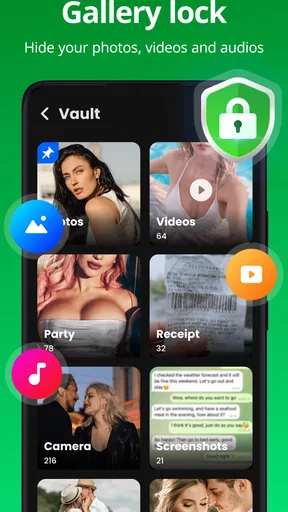
App Lock - Applock Fingerprint is a security app designed to protect your privacy by locking apps, photos, and other sensitive content on your device. It uses a fingerprint scanner or a password to restrict access, ensuring that only you can access your protected applications and files.
Is App Lock - Applock Fingerprint compatible with all devices?
App Lock - Applock Fingerprint is compatible with most Android devices that have a fingerprint sensor. It also supports older devices by allowing users to set up a PIN or pattern lock. However, compatibility may vary depending on the specific hardware and software version of your device.
Can App Lock - Applock Fingerprint be bypassed?
While App Lock - Applock Fingerprint offers robust security features, no app can guarantee 100% protection. It's important to regularly update the app to the latest version for enhanced security. Additionally, using a strong password or pattern alongside fingerprint recognition can further reduce the risk of unauthorized access.
Does App Lock - Applock Fingerprint affect device performance?
App Lock - Applock Fingerprint is designed to be lightweight and efficient, minimizing its impact on device performance. However, as with any app, running it continuously in the background may slightly affect battery life and processing speed, especially on older devices. Users can adjust settings to balance performance and security needs.
Is there a cost associated with using App Lock - Applock Fingerprint?
App Lock - Applock Fingerprint is available for free with basic features. However, it may offer in-app purchases or a premium version with additional features such as advanced security settings or an ad-free experience. Users can choose whether to upgrade based on their specific security needs.
